




I found UNIQLO - Clothes Shopping most useful when I treated it as a practical shopping companion rather than a complete replacement for visiting a store. It is a free shopping app from UNIQLO CO., LTD., focused on the brand’s clothing, accessories, and seasonal collections. After spending time moving between browsing, product pages, and purchase planning, I came away with a fairly clear impression: it is clean and convenient for people who already know the UNIQLO range, but it can feel less helpful when you are undecided about sizing, fit, or what to buy.
The app has been available since September 26, 2017, and its current version is 26.8.0. It is suitable for Everyone and requires Android 9 or later. Its 4.6 average from around 10K ratings, together with more than 1M installs, suggests that it has become a familiar tool for regular shoppers. That popularity makes sense, although I would not interpret it as proof that every shopping trip will be effortless. Clothing apps are judged less by how attractive the home screen looks and more by whether they help you make the right decision before spending money.
Where shopping tends to get stuck
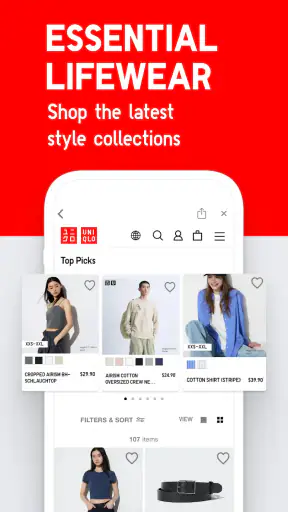
The first thing I noticed is that the app works best when I arrive with a purpose. Searching for a familiar item, checking available colours, or revisiting a product I have seen before feels straightforward. Browsing without a plan is more mixed. Collections and featured clothing can be useful for inspiration, but the range can also make it harder to decide whether I am looking at an essential item, a seasonal variation, or something that will suit my existing wardrobe.
That distinction matters because a product page can answer “what is this?” more easily than “will this work for me?” Clothing decisions depend on body shape, preferred looseness, fabric feel, layering habits, and the difference between a photograph and real-life wear. I found it sensible to use the app to narrow the choice, then slow down on the details before treating an item as an obvious purchase.
A common sticking point is size selection. The temptation is to choose the size normally worn in other brands, but that is not always a safe shortcut. Even within one retailer, a relaxed top, slim trousers, outerwear, and heat-retaining basics can be intended to sit differently. I recommend checking the product information carefully and comparing the garment with something already in your wardrobe. A tape measure and a favourite well-fitting item are more reliable guides than memory.
Colour can create a similar trap. A shade that looks neutral in a product image may feel stronger on a full outfit, while a darker colour can hide fabric texture and make an item appear more formal. I use the app to compare the available choices, but I avoid deciding from a tiny thumbnail. If the colour is important, viewing the item in different lighting and considering what it will be worn with is worth the extra minute.
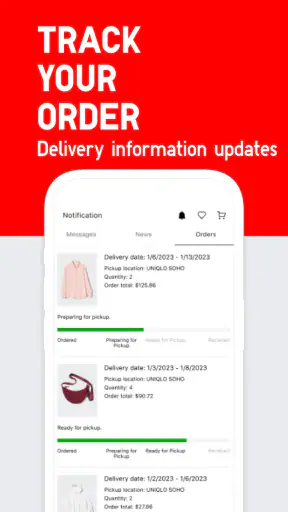
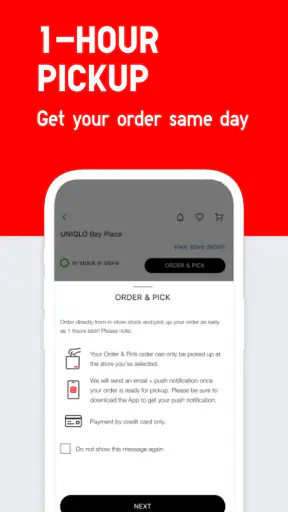
Another point of friction is the difference between discovering an item and completing a purchase. The app is good at putting products in front of me, but the final decision still depends on stock, size, location, and whether I am comfortable ordering before trying anything on. That is not a flaw unique to this app; it is the normal trade-off between online convenience and the certainty of a fitting room.
I also found that a phone screen encourages quick comparisons that are not always fair. Two shirts may look similar in a grid but have very different intended uses. One could be a layering piece, another a standalone shirt, and a third a warmer or more structured option. Opening each relevant product page and reading beyond the first image prevents the app from becoming a catalogue of attractive but poorly matched choices.
Small setup checks that prevent avoidable frustration
Before judging the shopping experience, I would check the basics. The app needs to be installed on a compatible device, and Android users should be running Android 9 or later. Keeping the app updated is also sensible, especially if a page behaves strangely or a shopping flow does not load as expected. The current release is version 26.8.0, so an older installation may not behave exactly like the current one.
I would also make sure the phone has a stable connection before browsing a large collection or moving between several product pages. A weak connection can look like a missing product, an incomplete image, or a page that has stopped responding. Closing and reopening the app after the connection improves is a simple first step, but I would not immediately assume that a product has disappeared.
My preferred setup is to decide what I am trying to accomplish before opening the app. For example, I might be looking for a light layer for commuting, a replacement for a worn basic, or clothing for a trip. That goal gives the search a useful filter. Without it, I can spend too long moving through collections and end up comparing items that solve different problems.
It is worth having measurements available as well. I keep the measurements of a garment that fits me well, including its approximate width and length, and use that as a reference when product information provides comparable details. This is more useful than relying on a vague memory such as “I usually buy medium.” It also helps when choosing between a close fit and a deliberately relaxed one.
Another practical check is to confirm the intended shopping context. If I am buying for myself, I can judge fit and colour directly. If I am buying for someone else, uncertainty increases, and the app should be used more for narrowing down styles than for guessing an exact size. In that situation, a gift recipient’s existing clothing measurements are much safer than assumptions based on age or general build.
I would not install this app expecting it to behave like a broad marketplace with unrelated brands. Its value comes from focusing on UNIQLO’s own clothing and accessories. That focus is helpful when I already trust the brand’s basics or want to compare its collections, but it is limiting if I want to search across many retailers for the lowest price or a particular specialist label.
A dependable workflow when a purchase becomes confusing
When I am unsure about an item, I use a repeatable sequence. First, I define the role of the garment: base layer, everyday top, office-friendly piece, travel layer, or something for warmer or cooler conditions. Second, I check the cut and measurements. Third, I compare the available colours with clothes I already own. Only then do I think about ordering or finding the item in person.
This workflow avoids one of the app’s easiest traps: treating the most visible collection as the most suitable choice. A featured group can be attractive, but it may not match the weather, dress code, or wardrobe gap I actually have. I get more value when I use collections for ideas and product pages for decisions.
If I lose track of an item while browsing, I return to the search rather than trying to remember where it appeared. I also make a short note of the product name, colour, and size I am considering. That sounds basic, but it helps when comparing several similar pieces or when I need to pause and ask someone else for an opinion.
For a realistic everyday example, imagine that I need an outfit for a week of commuting and expect changing temperatures. I would not simply search for “clothes” and fill a basket. I would look for a light outer layer, a comfortable base, and trousers that work with shoes I already wear. I would compare how each item fits into the same outfit, then check whether I am buying duplicates of things I already own. The app is useful here because it keeps the brand’s options in one place, but the planning comes from me.
A second useful workflow is shopping before visiting a store. I can use the app to identify likely colours and styles, decide which sizes to try, and reduce the time spent browsing racks. This is where the app feels more valuable than a simple paper catalogue: it helps me arrive with a shortlist. I would still treat the store visit as the final fit check rather than assuming that a promising product page guarantees a good result.
If a page fails to load or an image remains incomplete, I first retry after checking the connection. If the problem affects only one item, I search for the product again and reopen it. If many pages behave the same way, restarting the app and checking for an update are reasonable general steps. I avoid repeatedly tapping a purchase action when the screen appears frozen, because that can create uncertainty about whether the request was accepted.
When an order-related screen does not look right, I take a screenshot of the visible message and note what I was doing immediately beforehand. That record is more useful than repeatedly guessing. I would then try again later or use another shopping route if the decision is time-sensitive. The important point is to separate a temporary loading issue from a genuine stock or availability problem.
When the app is not the real cause
Not every disappointing result comes from the software. Clothing availability changes, popular sizes can become difficult to find, and a colour may look different from expectations because of a phone display. The app can present the information it has, but it cannot remove the uncertainty built into online clothing shopping.
Fit is the clearest example. If an item feels wrong, that may be because the cut is not suited to my preferences rather than because the app misled me. I have learned to distinguish between a sizing mistake and a style mismatch. A larger size does not always fix a narrow shoulder, a long sleeve, or a shape that is designed to sit close to the body.
Likewise, a product that looks excellent in a collection may not be the right choice for a particular climate or routine. Someone who needs technical specialist clothing, extensive brand comparison, or highly detailed fit advice may be better served by visiting several retailers or trying garments in person. This app is strongest for focused UNIQLO shopping, not for independent fashion research across the whole market.
Price comparison is another reason to use a different tool alongside it. The app makes sense if I have already decided that UNIQLO is the brand I want, but it is not the best starting point for someone whose main goal is to find the cheapest equivalent item anywhere. A marketplace or comparison service may offer broader options, while this app offers a more direct view of the brand’s own range.
I also would not recommend relying on it alone for a last-minute outfit when the fit must be perfect. A store visit, trying on several sizes, or choosing a garment with a forgiving shape can reduce risk. The app remains useful for planning that visit, but convenience should not be confused with certainty.
Privacy and comfort with shopping accounts can influence the decision too. Some people prefer to browse without setting up a dedicated retail routine, while others appreciate having a brand-specific place to research products. I would choose this app if I regularly shop at UNIQLO and want a quicker way to review its clothing. I would skip it if I rarely buy from the brand and do not want another shopping app on my phone.
What I would use it for most often
My favourite use is replacing everyday basics without wandering through a whole website. When I know the general kind of item I need, the app helps me compare colours and styles in a focused environment. It is also handy for planning a seasonal wardrobe refresh, because I can think in outfits rather than isolated garments.
I find it less convincing as a personal stylist. The collections can inspire me, but they do not remove the need to understand my own proportions, climate, dress code, and existing clothes. I would rather use the app as a visual shortlist than expect it to know what will suit me.
The developer, UNIQLO CO., LTD., has kept the product identity clear: this is a shopping tool for the UNIQLO range, not a social fashion network or a general clothing directory. That clarity is a strength. I do not have to filter through unrelated sellers, but I also do not get the breadth that comes with a multi-brand service.
Because it is free and rated for Everyone, the barrier to trying it is low. The important question is not the download cost; it is whether the focused catalogue matches the way I shop. Regular customers will probably get more value from it than occasional visitors who only need one item and are already near a store.
My practical verdict after using it
I recommend UNIQLO - Clothes Shopping to people who buy UNIQLO clothing regularly, want to research products before leaving home, or prefer building a shortlist instead of browsing without direction. Its strongest qualities are focus, convenience, and the ability to support a more deliberate shopping routine. It is especially useful when I know the type of garment I need but want to compare the available options before committing.
My recommendation comes with a clear condition: use it to make a better decision, not to avoid every real-world check. Measurements, colour expectations, stock uncertainty, and personal fit still matter. The app can shorten the search, but it cannot try on a shirt for me or tell me whether a new item genuinely fills a gap in my wardrobe.
For everyday UNIQLO shoppers, that is a fair trade-off. I would keep it installed if I often replace basics, plan outfits around the brand, or like checking options before visiting a store. I would choose a broader marketplace or an in-person visit when brand comparison, specialist advice, or exact fit matters more than convenience. Overall, it is a useful and sensible shopping app, provided I approach it as a focused planning tool rather than an unquestionable guide to what I should buy.


